
Every project manager knows the Monday ritual. Stakeholders need an update, and you’re stitching together a dozen spreadsheets into a coherent story. By the time the data is assembled and the slides are formatted, half the morning is gone, and you still aren’t sure the report says the right thing.
The Project Status One-Pager solves that.
Executives spend less than 30 seconds scanning a status report before deciding whether it needs their attention. Every element on this report is built for that reality.
A metrics strip across the top delivers the project’s vital signs. Project health is communicated through shape and color. An amber triangle says “at risk” before you read a word, and a trend arrow shows whether things are improving. A donut chart encodes percent complete into its geometry, so 75% done looks like 75% done. The project manager, resource count, and financial summary sit alongside.
The financials section is more than three numbers. A visual budget bar shows spending within budget in green and overrun in red, with a marker at the budget threshold so you grasp the variance instantly. No mental math required.
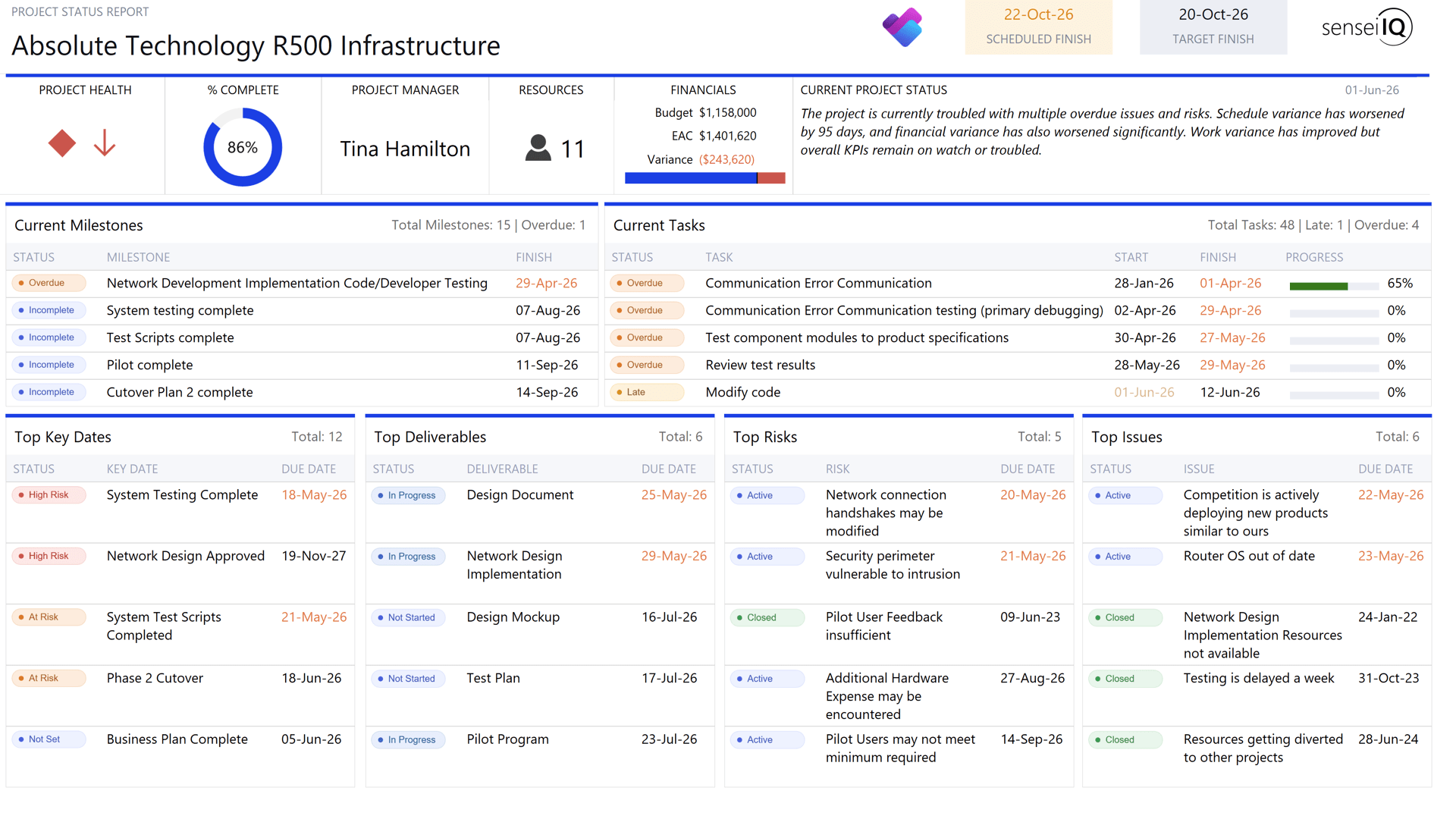
The lower half surfaces what matters now. Current milestones and tasks show what’s in flight and what’s slipping, with color-coded badges and progress bars that make problem areas impossible to miss. Past-due dates turn red automatically.
Four summary tables round out the picture, covering top key dates, deliverables, risks, and issues. Each pulls the five most critical items, with total counts so you know how much exists beyond what’s shown. Badges reflect the actual status vocabulary of each domain, so a risk reads Active, Converted, Closed, or Postponed rather than a generic label.
The one-pager is a Power BI Paginated Report, purpose-built for pixel-perfect, print-ready output. Unlike interactive dashboards, paginated reports render every element in a fixed position with precise fonts, colors, and proportions. The report looks identical on screen, in print, and on export. When a VP pulls it up in a board meeting, the formatting is consistent and professional every time.
Paginated reports export directly to PowerPoint. Your status one-pager becomes a presentation-ready slide you can drop into a steering committee deck, with no rebuilding by hand and no copying numbers between tools. The exported slide preserves the full design exactly as it appears. For PMOs managing many projects, a portfolio review deck comes together in minutes instead of hours.
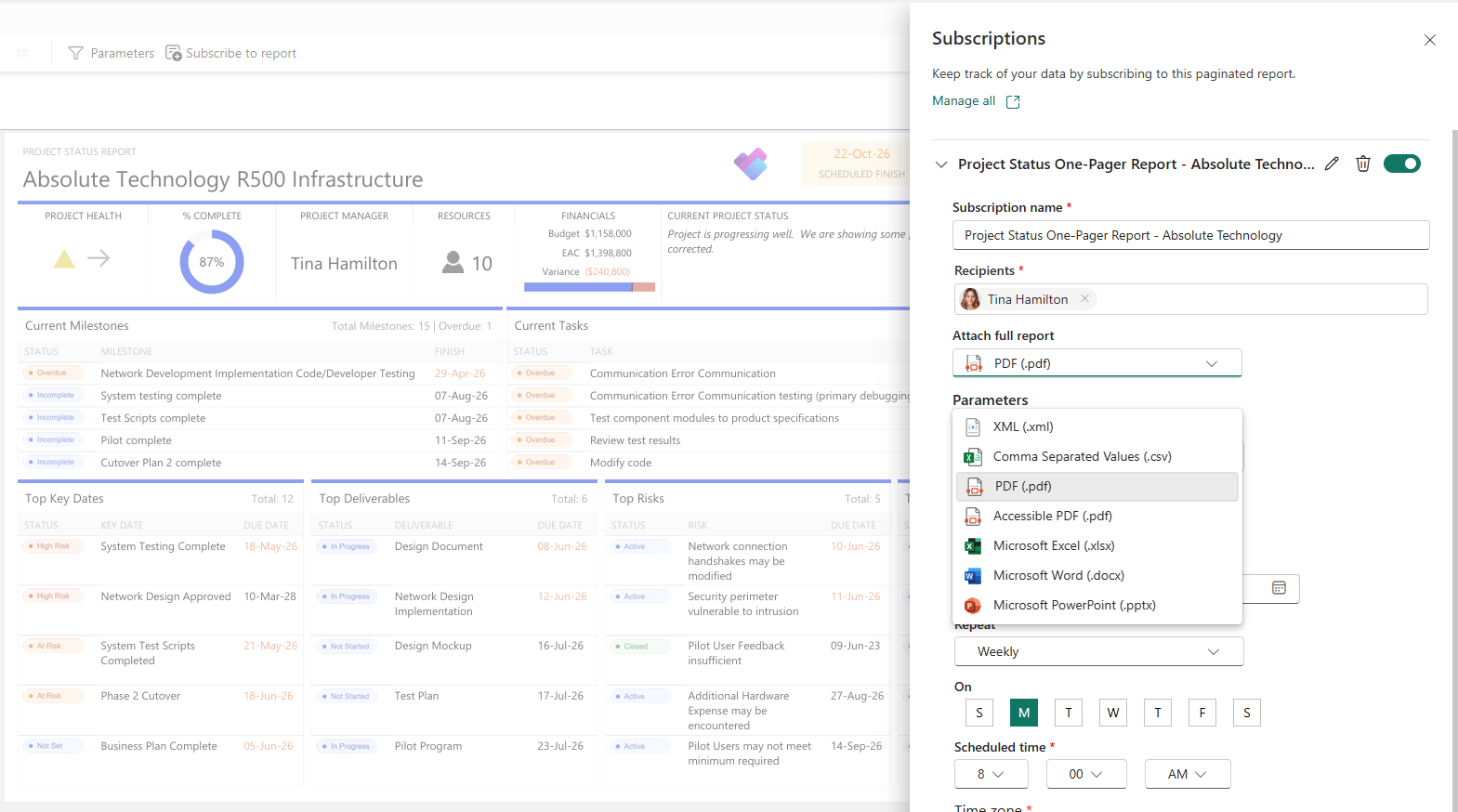
The most transformative feature is subscriptions. Schedule the report for automatic delivery to specific recipients on a recurring basis, whether daily, weekly, or whatever your governance model requires.
Every Monday at 7 AM, each sponsor receives their project’s one-pager as a PDF. No one runs the report. No one chases an update. The information simply arrives, current and formatted. Subscriptions can be configured per project, so a portfolio director gets every active project while a sponsor gets only the two they fund.
This shift from pull to push changes project communication fundamentally. Project managers spend less time assembling reports and more time managing projects. And because the report draws from live data, it’s always as current as the last status update.
The one-pager follows a simple principle. A reader should understand what’s healthy, what needs attention, and where the gaps are before reading a single label. Color, proportion, and position do the talking. Text confirms what the visual already said.
Thirty seconds gives you the shape of the project. Two minutes gives you the details. And when something needs your attention, the report makes sure you see it.
Contact us: info@senseiprojectsolutions.com .